
Download BIN Checker – Card Validator, Credit Card Checker, Debit Card Validator, Luhn Algorithm Tool, Financial Security Tool
Overview
BIN Checker - Card Validator is a specialized utility designed to verify the validity of credit and debit card numbers using the Luhn algorithm, a widely recognized checksum formula used to detect errors in numerical sequences. The app is intended for users who need to confirm the structural accuracy of card numbers before processing transactions, particularly in digital commerce, data entry, or financial verification scenarios. It supports a broad range of card types, including American Express, MasterCard, Visa/Visa Electron, Diners Club, Discover, Solo, Dankort, and InterPayment (TM), making it a versatile tool for users across different regions and banking systems.
Targeted primarily at individuals and professionals involved in e-commerce, payment processing, or financial data validation, the app serves as a preliminary screening tool to reduce input errors and prevent failed transactions. It is especially useful in environments where card data is frequently entered manually, such as in online retail, subscription services, or customer support workflows. The developer, Kawi House For Apps And Games, has positioned the app within the Business & Productivity category, emphasizing its practical utility in financial workflows.
The app does not store or transmit card numbers, which enhances privacy and reduces the risk of data exposure. While specific real-world use cases beyond basic validation are not detailed, the functionality supports scenarios such as verifying card formats during checkout testing, validating user inputs in forms, or ensuring data integrity in financial databases. The developer did not provide additional system requirements or detailed use case documentation.
Key Features & Capabilities
- Luhn Algorithm Validation – The app uses the Luhn algorithm to verify the structural integrity of card numbers, detecting common input errors such as transposed digits or incorrect checksums.
- Multi-Card Type Support – Compatible with major card networks including American Express, MasterCard, Visa/Visa Electron, Diners Club, Discover, Solo, Dankort, and InterPayment (TM), ensuring broad applicability.
- BIN Information Lookup – Provides public data about the issuing bank, country of origin, and card type based on the Bank Identification Number (BIN), enhancing transparency during verification.
- Privacy-First Design – Card numbers are not stored or transmitted, ensuring that user data remains on the device and is not shared with external servers.
- Offline Functionality – The app operates without requiring an internet connection, allowing users to validate card numbers in environments with limited or no connectivity.
These features enable users to perform real-time validation of card formats during data entry, form testing, or customer service interactions. For example, a developer testing a payment gateway can use the app to ensure that card numbers follow correct formats before sending them to a backend system. Similarly, a customer support agent verifying a user’s card details can use the tool to confirm that the number is structurally valid before proceeding with a transaction.
User Interface, Workflow & Performance
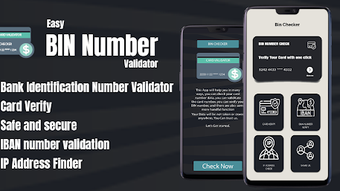
The user interface of BIN Checker - Card Validator is designed to be minimal and functional, focusing on core validation tasks without unnecessary visual distractions. Navigation is straightforward, with a primary input field for card numbers and immediate feedback on validity status. The app likely follows a single-screen workflow, allowing users to enter a card number and receive instant results based on the Luhn algorithm and BIN lookup.
Workflow efficiency is optimized for speed and simplicity, making it ideal for quick checks during high-volume data processing. The app’s performance is expected to be responsive, given its lightweight nature and lack of cloud dependencies. However, exact performance details were not specified by the developer, and resource usage such as CPU or RAM consumption remains undisclosed.
Stability is presumed to be consistent, as the app relies on deterministic algorithms and local processing. Since no external data sources are involved in validation, the app is less prone to connection failures or latency issues. The developer did not specify any known bugs or crash reports, and no performance benchmarks were provided.
Compatibility & System Requirements
BIN Checker - Card Validator is available for Android devices, as it is distributed through the Google Play Store. The supported operating system version is not explicitly listed, and no specific hardware requirements were provided. Installation size is not disclosed, and the developer did not specify minimum RAM, processor, or storage needs.
Compatibility information is limited to the Android platform, suggesting it is not available for Windows, macOS, or other desktop operating systems. The app’s functionality is based on local computation, so it does not depend on external services or APIs. However, the exact range of supported Android versions remains unknown. The developer did not provide detailed information on device compatibility, such as tablet support or screen resolution optimization.
Pros and Cons
Pros
- Free to download and use with no in-app purchases or hidden fees
- Uses the Luhn algorithm for accurate structural validation of card numbers
- Supports a wide range of card types across major global networks
- Provides BIN-based insights such as issuing bank, country, and card type
- Operates entirely offline, ensuring privacy and uninterrupted use
- Does not store or transmit card data, enhancing user security
Cons
- No support for desktop platforms such as Windows or macOS
- Exact system requirements and device compatibility details are not available
- Limited to format validation; does not confirm card status (active/inactive) or issuer verification
- No integration with payment gateways or real-time transaction systems
- App functionality is restricted to basic validation and does not offer advanced analytics or reporting
FAQ Section
Is BIN Checker compatible with iOS devices?
The app is currently available only for Android and is not accessible on iOS devices.
Does the app store my card numbers?
No, the app does not store or transmit card numbers. All processing occurs locally on the device.
Can I use this app offline?
Yes, BIN Checker operates without an internet connection, making it suitable for offline environments.
Does the app verify if a card is active or valid for transactions?
No, the app only validates the format and structure of the card number using the Luhn algorithm and public BIN data. It does not confirm card status or issuer authorization.
Is the app safe to use for sensitive financial information?
Yes, the app is designed with privacy in mind. It does not collect or share card data, reducing the risk of exposure.
Final Thoughts + CTA
BIN Checker - Card Validator delivers a focused, privacy-conscious solution for validating credit and debit card numbers using established algorithms. Its ability to perform offline checks and provide BIN-related insights makes it a reliable tool for professionals and individuals alike who prioritize data accuracy and security. While it lacks desktop compatibility and advanced verification capabilities, its simplicity, free access, and local processing model stand out in a crowded digital landscape.
For users involved in e-commerce, payment testing, or manual data entry, this app offers a practical and secure way to reduce input errors and enhance workflow confidence. It is particularly well-suited for developers, customer support teams, and finance professionals who need a lightweight, dependable tool for card number validation.
Download BIN Checker now and verify your card numbers with confidence.





.png)

